
by Reema Duggal | Aug 10, 2026
These are the questions we hear most often once a customer portal moves from idea to project.
What Should A Customer Portal Include At Minimum?
The non-negotiable core is order or project status, account history, and basic document access. Everything else is a phase-two decision.
Features like self-service reordering, ticketing, or usage analytics add real value, but bundling them into a first release usually delays launch without improving adoption. Starting narrow and reliable consistently outperforms launching broad and buggy, because early trust is hard to rebuild once it’s lost.
Do We Build This Ourselves Or Buy A Platform?
Buying a platform gets you live faster and gives you a proven structure to configure rather than invent, which suits companies that want a working portal without a long internal project. Building gives you more control over exactly how the portal fits your existing systems and workflows, which matters more once your needs get specific.
Most small and mid-sized companies are better served starting with a platform and customizing around it, reserving a custom build for the point where a platform’s limits are actually blocking something the business needs.
How Does It Connect To Our Existing Systems?
A portal is a front end, and its value depends entirely on what sits behind it. Most rollouts anchor on two integrations, the system that holds order or project data and the system that holds account and contact information. How often that data syncs, real-time versus batch, should be driven by how time-sensitive the information actually is, not by whichever option is easiest to build first.
How Long Does It Take To Launch?
Timeline is driven far more by integration complexity than by how the portal looks or feels. A phased launch, core features first and expansion later, gets real value in front of customers faster than waiting for a single big release. Legacy or heavily customized backend systems are the most common source of schedule slippage, and worth surfacing early rather than discovering mid-project.
How Do We Get Customers To Actually Use It?
Adoption depends on the portal solving something customers already do often, and checking status is usually the strongest wedge into that habit. Rep-led onboarding in the first few interactions matters more than an announcement email, because customers adopt new tools through guided use, not general awareness. Usage tends to compound. Once one routine task moves into the portal, others tend to follow on their own.
A Technical Aside
Two decisions make this easier to maintain long-term: deciding early which system is the source of truth for each type of data, so conflicting information doesn’t end up in front of a customer, and building in single sign-on from the start, which removes a login barrier for customers already juggling several vendor accounts. Getting these details right up front is what makes the rest of the rollout straightforward. Learn more on Sitaran’s Customer Portals page.

by Reema Duggal | Aug 8, 2026
Products / Services Training is the cornerstone of onboarding for new hires. It lays the groundwork for employees to know what you sell and how you deliver it. The trends shaping how companies are doing Products / Services Training include:
Structured Onboarding
Structured onboarding by role, team, and location is becoming a standard. A sales person selling a single product line needs a different starting point than a regional manager onboarding an entire catalog, and structured programs are built around that difference rather than pushing every new hire through the same content regardless of what they’ll actually be selling or where.
Clear Learning Paths To Guide New Hires
Employees have a clear line of sight to their learning goals. Instead of a single completed-or-not status, they can see what they’ve mastered, what’s next, and how far they are from full product certification. That visibility turns training into progress they can track, not a black box they hope they’re keeping up with.
Microlearning On Mobile
Full courses are being supplemented with short, product-specific modules reps can complete in the time between calls. A sales person doesn’t need to sit through an hour on the whole product line to learn what changed on one SKU. Microlearning breaks training into pieces small enough to fit into a slow afternoon, not a scheduled block on the calendar.
AI-Assisted Training Content
AI tools are speeding up how quickly companies can turn product updates into training material, drafting first passes of content, summarizing spec sheets, generating quiz questions.That’s a real efficiency gain, but it comes with a caveat that matters more in technical and industrial contexts than almost anywhere else: AI-generated content still needs human review before it reaches a rep or technician. An error in training material about a machine or a technical spec isn’t a minor inconvenience, it’s a real risk on the floor or in the field.
Training Content Tied to Live Product Data
Training content is starting to pull from the same source as the spec sheet or product page, instead of being written and maintained separately. When a spec changes on the website, the training module updates with it, rather than sitting on its own update schedule and quietly falling out of sync. It’s the same problem reps run into when the wiki, the website, and their manager all say something different, solved at the content level instead of relying on someone remembering to update three places at once.
Together, these shifts are raising the bar on what a product training program has to deliver: structure built around the role, visible progress, content sized to fit a slow afternoon, and AI accelerating the draft without skipping the review. That’s the standard employees are now measuring their own training against, which is exactly what the next question addresses.

by Reema Duggal | Aug 8, 2026
Industrial companies evaluating product / services training solutions are weighing it against five practical concerns.
Content Needs To Be Always Current
Products evolve, with new SKUs, updated specs, and discontinued features often changing faster than training material can keep up.
That gap is where real risk lives: a sales person selling based on outdated specs, or a technician providing services based on an outdated process. Companies are specifically looking for programs with a clear, low-friction way to update content quickly when something changes, rather than a training library that quietly goes stale between major revisions.
The same gap shows up across sources too, an update lands on the website while the internal portal, a brochure, or a manager’s own notes keep circulating the old version. What companies want is one source everyone pulls from, not three or four to reconcile.
Answers Can Be Pulled Up Instantly
When a customer asks a technical question mid-call, a sales person needs an answer in seconds, not a manual to dig through. That’s a different design problem than a training course. It means short, searchable, single-topic content built to be found fast under pressure, not a course built to be completed once.
Quick Access To What’s New
Sales People don’t want to re-sit through what they already know just to get to the one thing that changed. When every update means redoing a full module, Sales People start skipping training altogether. What they want is training scoped to the delta, the new SKU, the changed spec, all delivered in quick hits.
A Way to Practice
Sales People want to rehearse a hard product conversation before they’re having it with a paying customer. Low-stakes practice, a role play, a scenario walkthrough, a mock objection, builds the confidence that a slide deck can’t. Without it, the first time a sales person handles a tricky question is in front of the person they’re trying to close.
Tracking Completion and Competency
Companies increasingly want programs that can show real competency through checkoffs, scored assessments, or manager verification, not just a completion checkmark. That distinction matters most in industrial and technical products, where a sales person or technician who completed training but didn’t actually absorb it can still make a costly mistake.
Content that stays current and consistent, answers people can find fast, confidence under pressure, training scoped to what’s actually new, room to practice before it counts, and a way to prove real competency, these are what separate a program employees trust from one they quietly work around. The practical questions that follow are about how to actually build and maintain that.
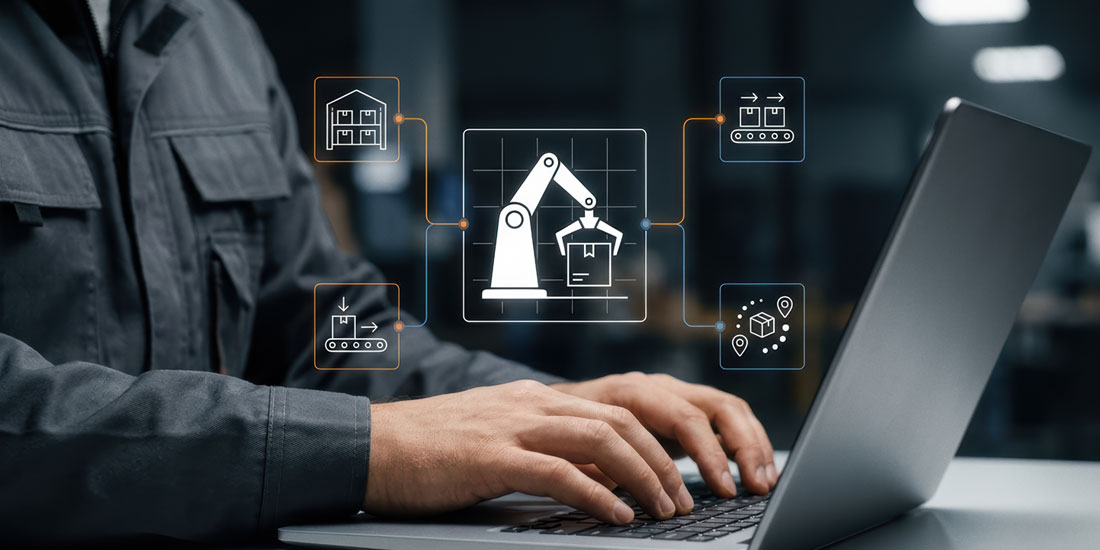
by Reema Duggal | Aug 8, 2026
Product and services training isn’t one program, it’s a set of methods that work together, each suited to a different part of what a sales person or technician needs to know how to do.
Who Needs to Be Involved
Building this well takes more than the training group alone. Product and service managers own the accuracy of what’s being taught, the specs, the positioning, the use cases, the details that change with every release. The training group owns how it’s delivered, structuring that knowledge into something a sales person can actually learn and use. Neither piece works without the other, content that’s accurate but poorly structured doesn’t stick, and content that’s well structured but wrong actively misleads.
What a Product/Services Training Program Is Built From
It comes down to matching the method to what’s being taught and how it needs to be used, not defaulting to one format for everything. Here’s what that looks like in the programs we build with clients:
eLearning
Text, audio, video, interactions, and quizzes form the foundation layer, the reference content a sales person can search when they need an answer. This is what makes an answer findable in seconds instead of buried in a manual, and the format can flex to what’s needed, a video walkthrough for one topic, a quick text refresher for another.
Product Demos / Simulations
A demo or simulation lets a sales person see or interact with a product before they ever have to describe it to a customer. Real understanding of what a product does and how it behaves lands differently than reading a spec sheet, especially for complex, configurable products.
Mentoring
A new or junior sales person pairs with someone more experienced. Institutional knowledge, the exceptions, the tricky accounts, the answers that never make it into a course, moves person to person, not just through content.
Cross Training
Sales people learn adjacent products or roles beyond their immediate focus. That builds a team that can cover for each other and speak knowledgeably about the full catalog, not just their own patch, and gives customers a consistent answer regardless of who picks up the phone.
Practice / Structured Feedback
Sales people rehearse a hard conversation, a role play, a mock objection, and get feedback on it before facing a real customer. Confidence built this way holds up under pressure in a way a slide deck alone can’t.
Ongoing Microlearning
Short, product-specific modules keep training current after the initial ramp, scoped to what’s actually changed. A sales person doesn’t need to redo a full course every time a spec updates, just the piece that’s new.
How Long Does This Take to Build?
Timelines depend mainly on how much of the content already exists and how many product lines are involved, not on the training format itself. A company with organized specs, existing sales decks, and a single product line can move quickly. A company with multiple product lines, undocumented tribal knowledge, or content that needs to be created from scratch takes longer, because most of the time goes into gathering and structuring the underlying content, not building the training around it.
Do You Need All of This, or Just Some of It?
Most companies don’t build every piece at once. eLearning is usually the foundation every program needs. Everything else, demos, mentoring, cross training, practice, microlearning, gets layered in based on product complexity and how customer-facing the role is. A company selling a simple, low-configuration product might get by on eLearning and occasional demos. A company selling highly technical, configurable equipment usually needs the fuller stack, because the cost of a sales person getting it wrong is higher.
A Technical Aside
- Keep one source of truth for training content so an update in one place, a new spec, a changed SKU, doesn’t leave an outdated version circulating in a course, a PDF, or a wiki somewhere else
- Delivery should run through your Learning Management System, not a scattered mix of shared drives and email attachments, so completion and progress are actually trackable
- Integration with your product data or PIM system lets training content stay tied to the same source as your spec sheets and website, so they can’t drift out of sync
We Can Help You
We help industrial companies build product and services training that keeps sales people and technicians current, confident, and consistent.

by Reema Duggal | Aug 6, 2026
Standard operating procedures training is at the core of how your employees do their jobs. It ensures consistency, quality, and safety. The trends shaping how companies are doing SOP Training include:
They Are Ditching Paper SOPs
Binders on a shelf, or laminated sheets taped to a machine, are giving way to searchable, visual, interactive content that operators can pull up where they’re standing. Paper isn’t disappearing everywhere, but it’s increasingly the fallback rather than the primary format, especially in fast-changing environments where a printed binder can’t keep up.
AI Is Helping Draft SOPs
AI tools are starting to help turn a recorded process or a walkthrough into a first-draft SOP. Drafts are generated from observation, and refined by qualified reviewers.
Structured eLearning
Structured eLearning delivered on company Learning Management Systems with text, audio, video and animation is being used to onboard new hires. That centralization means an operator at one site sees the same instruction as an operator at another, delivered through the same system and updated from a single source rather than a folder of files that drift out of sync across locations.
Interactive Guides
Step by step guides delivered on tablets, phones, or directly at a machine provide just in time instructions to operators and machinists. Instead of memorizing a sequence from a manual read once during onboarding, an operator can follow the exact steps in the moment, cutting reliance on memory for a procedure that might only run once a quarter.
Digital Twin Walkthroughs
3D virtual maps of entire plants combined with augmented and virtual reality provide with immersive experiences. That’s most valuable for procedures too costly, dangerous, or infrequent to practice on the real equipment, letting an operator build familiarity with a process before ever touching the actual machine.
Safety and Compliance Pressure Is Increasing
Regulatory scrutiny, audit expectations, and insurance requirements are all pushing manufacturers toward more rigorous documentation of how work is actually performed, not just what the policy says should happen.
Companies are finding that having an SOP isn’t enough anymore; they need to demonstrate that operators were actually trained on it and can show evidence of that training when asked.
Together, these shifts are pushing SOP training toward something operators can actually use in the moment, not just something they signed off on once. That’s the bar buyers are now measuring a training system against, which is exactly what the next question addresses.